Perspective Grids in Photoshop
Photoshop does not include a perspective drawing guide that snaps strokes the way Procreate or Clip Studio do. The practical options are to place a ready-made grid image, build one with the Polygon tool, or use the Vanishing Point filter for planes in photos.
In short
- Fastest: place a transparent grid PNG/SVG as its own layer.
- DIY: a many-pointed star from the Polygon tool makes radiating lines.
- Photos: Filter → Vanishing Point builds perspective planes and can render a grid.
Method 1: Place a generated grid
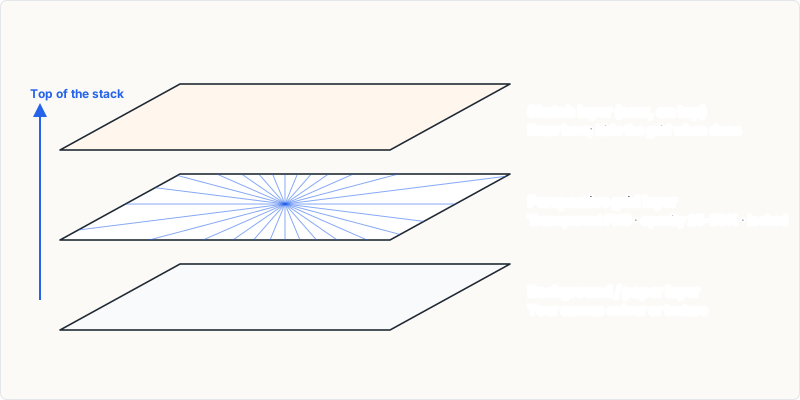
- Generate a matching grid. Choose the canvas aspect of your Photoshop document (or Custom with its pixel size) and export a transparent PNG, or an SVG if you want to scale it without blur.
- Place it. Use File → Place Embedded and fit it to the canvas.
- Lock and dim it. Lock the layer and reduce opacity to 25–50%.
- Draw on a new layer. Sketch above the grid and hide it for final export.
Method 2: Polygon "star" lines
Select the Polygon tool, set many sides and a star indent so the shape becomes thin spokes, and drag from the vanishing point outward until the spokes cover the canvas. Duplicate and move it for a second vanishing point. It works, but adjusting the horizon later means rebuilding the shapes.
Method 3: The Vanishing Point filter
For photos and textures, create an empty layer and choose Filter → Vanishing Point. Click four corners with the Create Plane tool to define a plane; Ctrl/Command-drag an edge node to tear off connected planes. To keep the grid visible after closing the filter, choose Render Grids To Photoshop from the Vanishing Point menu before clicking OK — the grid is rendered as pixels on your layer.
The filter is designed for perspective-correct editing (cloning, pasting, painting on planes) rather than freehand drawing guides, which is why many illustrators prefer an imported grid.
Tips
- Put the grid in a group with a low-opacity blend so it never prints by accident.
- Hold Shift and click between two points with a brush to draw straight lines along grid lines.
- Use an SVG grid if you want to rescale it without blur.
Frequently asked questions
Does Photoshop have a perspective grid like Illustrator?
Not for drawing with snapping. Illustrator has a Perspective Grid tool; Photoshop relies on imported grids, shapes or the Vanishing Point filter.
Is the grid from Vanishing Point editable later?
The rendered grid is raster pixels. The planes themselves are saved with the document and reappear when you reopen the filter.